SMS Statistics
In your sent sms campaign, you will find a “statistics” tab with two entries: reports and enriched file.
Reports
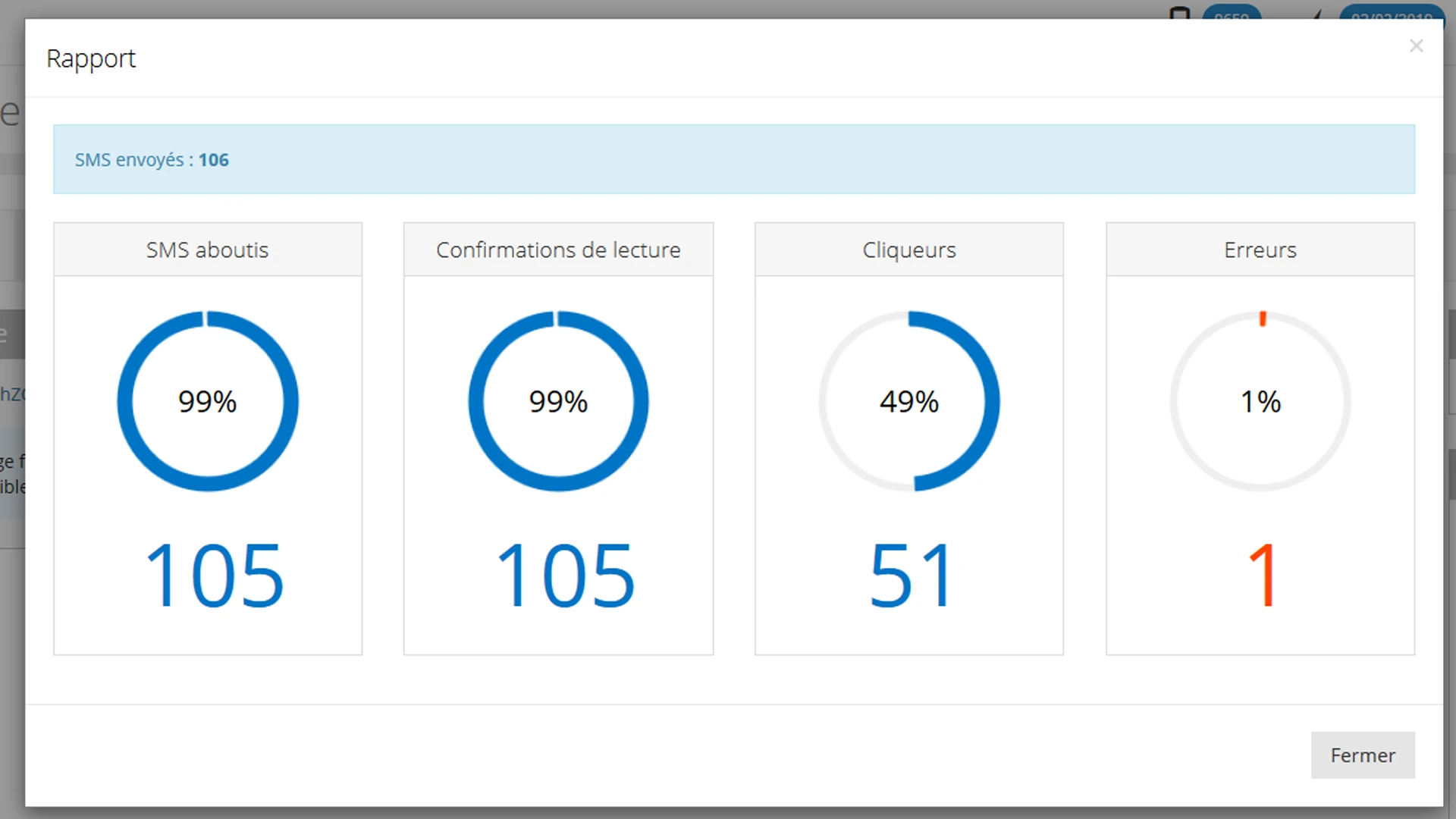
The report section tells you:
the number of successful sms, i.e. the number of contacts who received your message
the number of read confirmations, thus the number of opened sms
the number of clickers
the number of errors
The statistics are available as soon as the campaign is sent, but they can change up to 24 hours after the launch.
You can follow the evolution of your campaign in real time.
Enhanced file
The enriched file is an excel file to download.
You will then know for each number, if your contact :
- received your message
- replied ( as well as the return message )
- clicked
- unsubscribed from your mailing list
The rich file also allows you to know the channels used to deliver your message
Exclude automated clicks (bots)
Some clicks counted in your statistics do not come from your recipients: they are generated automatically by bots. The most common case is link preview on Android, which loads the preview thumbnail of your URL and triggers a click without any human action.
To make your statistics more reliable, open your campaign’s Performance monitoring panel, turn on the Exclude automated clicks (bots) option, then click Save.
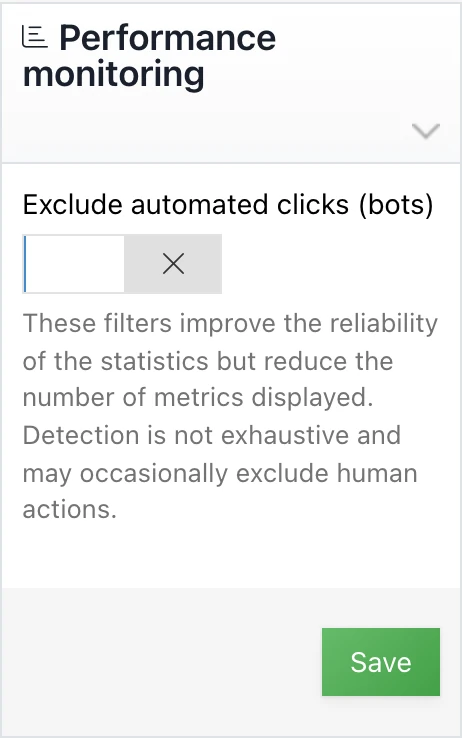
Once the option is enabled, these clicks are no longer counted in the number of clickers in your report. In the enriched file, the affected rows show Yes (bot) instead of Yes in the Clicks column.
This filter improves the reliability of your statistics but reduces the displayed metrics. Detection is not exhaustive and may occasionally exclude human actions.
This post is also available in Français.