Send your SMS campaign
Note: Legally, marketing SMS campaigns cannot be sent:
- between 8pm and 8am
- on Sundays
- on public holidays.
The platform does not allow you to send a campaign outside the permitted time slots.
Before sending your campaign, you have the option to perform a test, in the “test” section of your campaign, to see how your message will look. Then, once validated, you have two options to send your SMS campaign: immediate sending or scheduled sending.
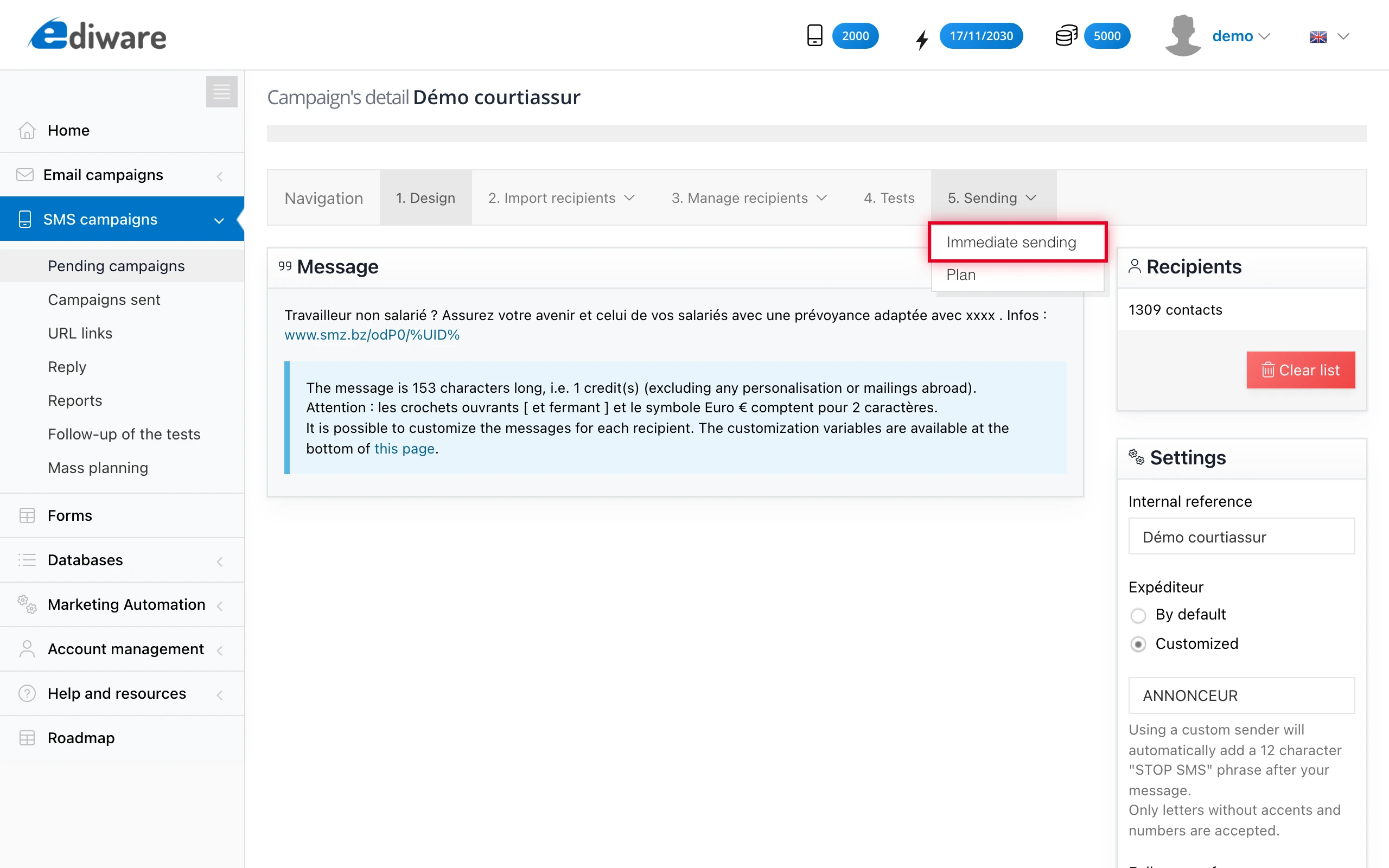
To send your campaign immediately, simply click on “sending” then “immediate sending”.
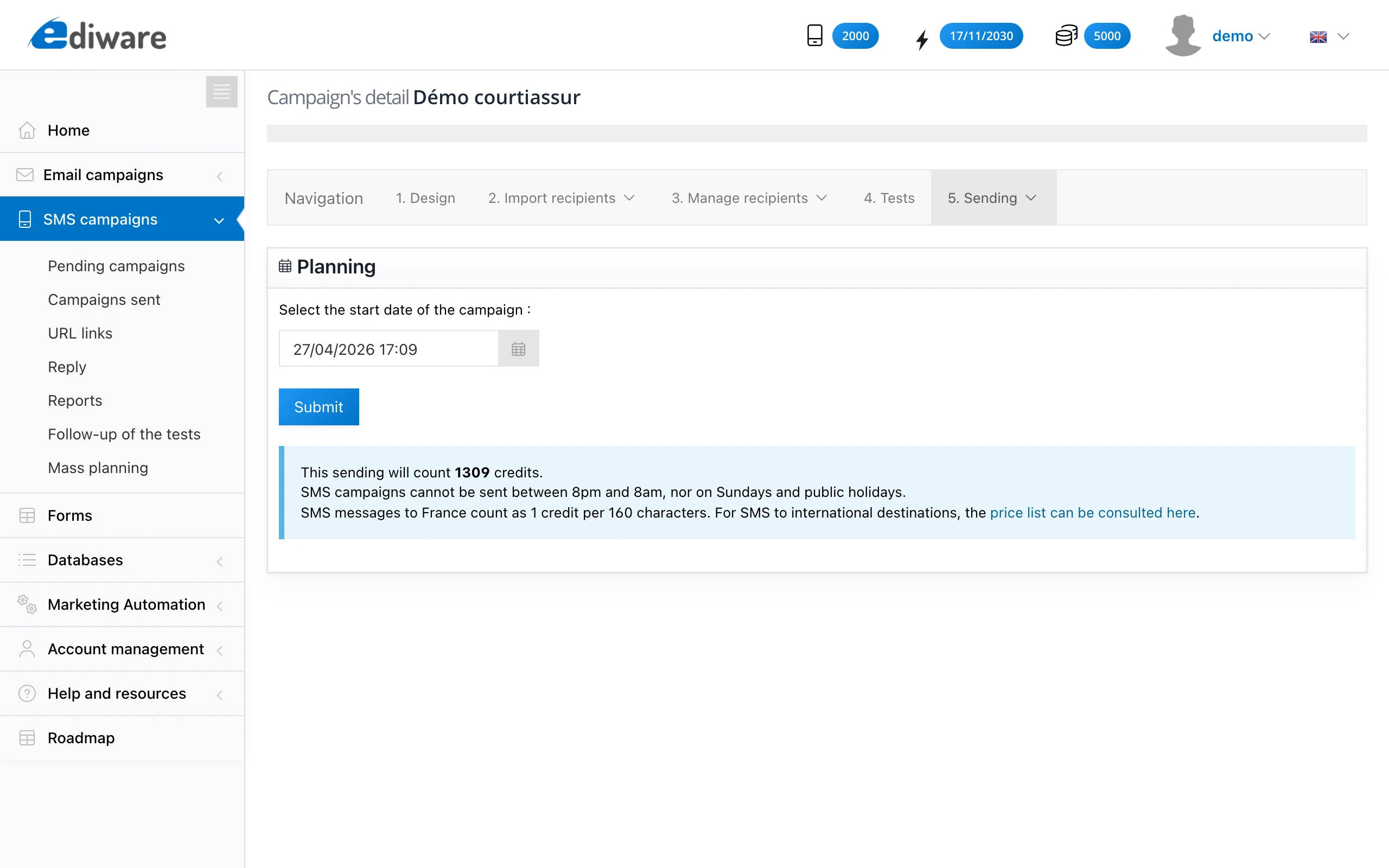
The “schedule” function lets you program your campaign to be sent later. If you click on this tab, you will then need to specify the date and time at which you want your campaign to be sent, then press the “validate” button to save your choice.
The scheduling is shown in your campaign list like this:
