Creating a form with a responsive editor
Ediware offers a form-building tool that lets you create and customize forms directly within the platform. In this video, I show you how to create a form with the new responsive editor. By following these steps, you should be able to create and deploy a responsive form with the Ediware platform, improving the user experience across different devices.
Why?
The most obvious goal is to generate leads for your business. An effective lead magnet attracts prospects potentially interested in your products or services and encourages them to share their contact details in exchange for valuable content.
A well-designed lead magnet can also help qualify prospects based on their level of engagement and interest. For example, someone who downloads a comprehensive guide on a particular topic is probably more interested, and possibly more willing to buy, than someone who doesn’t.
Advanced customization
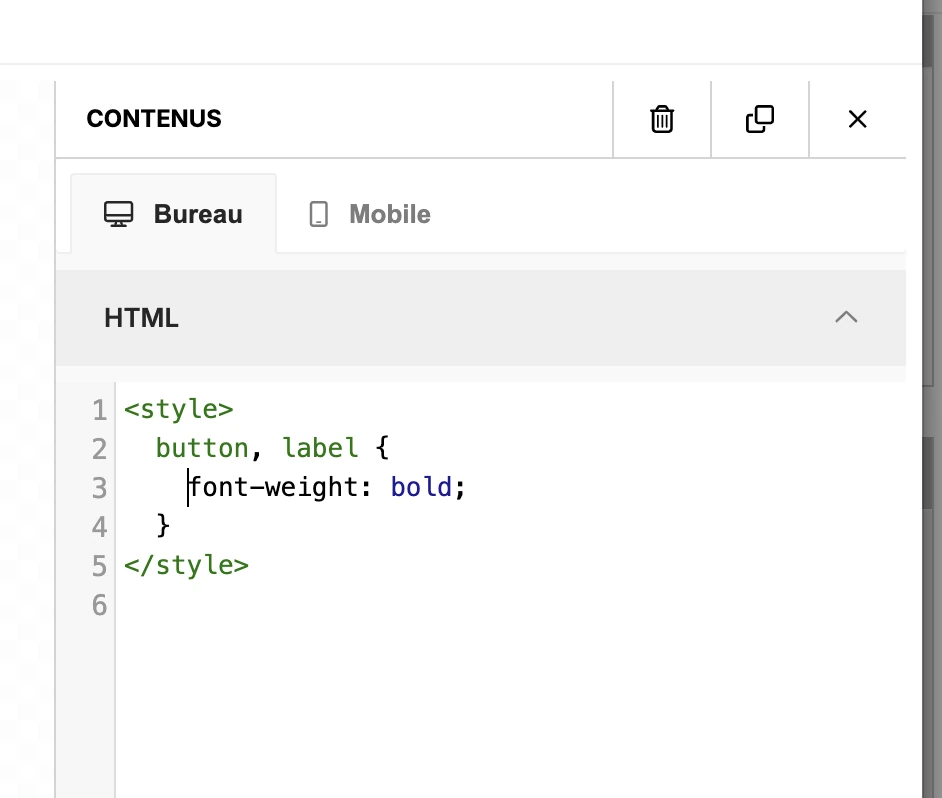
You can add CSS styles to customize the appearance of the form.
Add an HTML block at the bottom of the page and include the desired CSS.