User management on Ediware
At Ediware, we offer two ways to manage your access: sharing account credentials and creating personal credentials for each member of your team, which we call “Users”.
What is a user?
Sharing credentials
You can share the credentials of your account or sub-account with your team. Each person with access can manage the account as if they were the main owner. This method is simple but comes with security and management risks.
Creating personal credentials
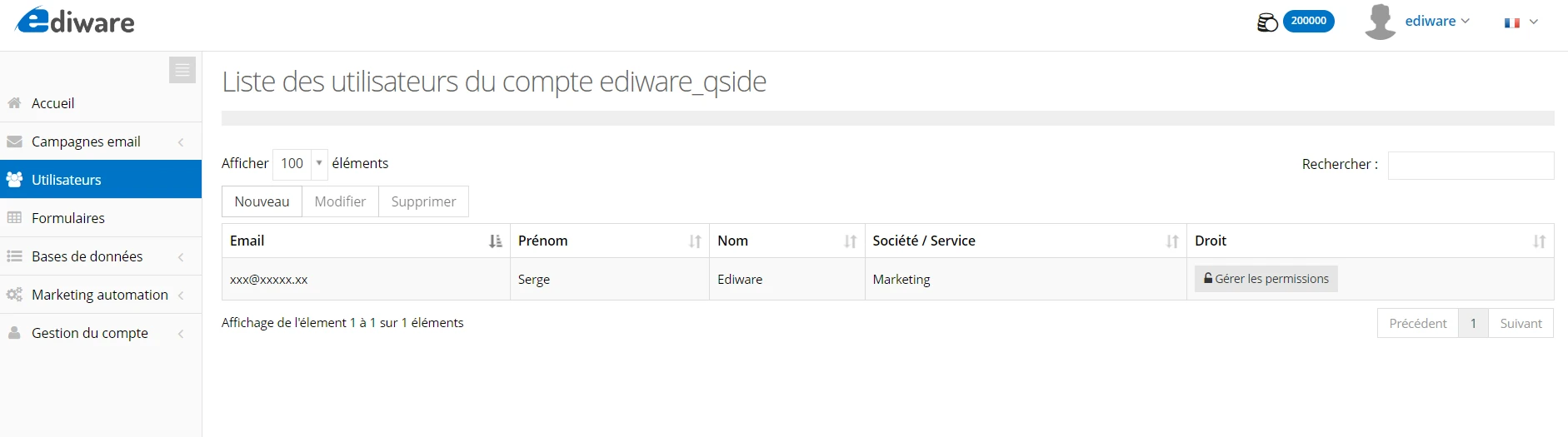
For more secure and personalized management, we recommend creating personal credentials for each member of your team. These members are called “Users”. To add one, click on New.
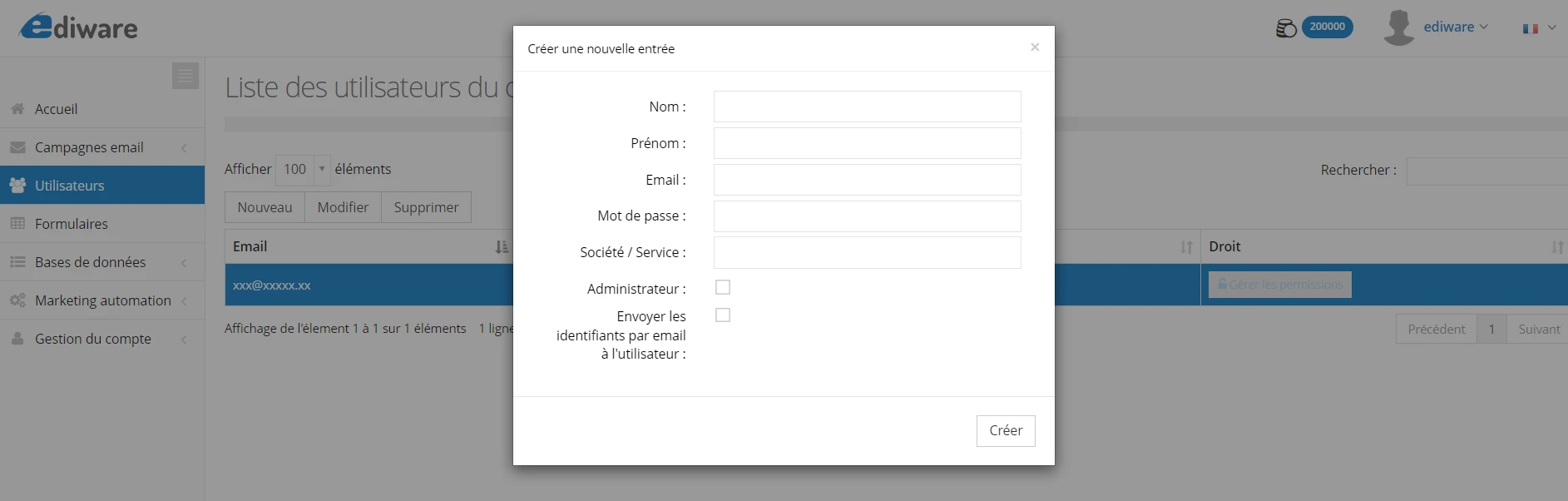
User rights
Administrator
A user with “Administrator” rights has full permissions to manage the account they have access to, in the same way as if they owned the main account credentials. They can create and edit campaigns, edit landing pages, access contacts, manage templates and send campaigns.
Specific permissions
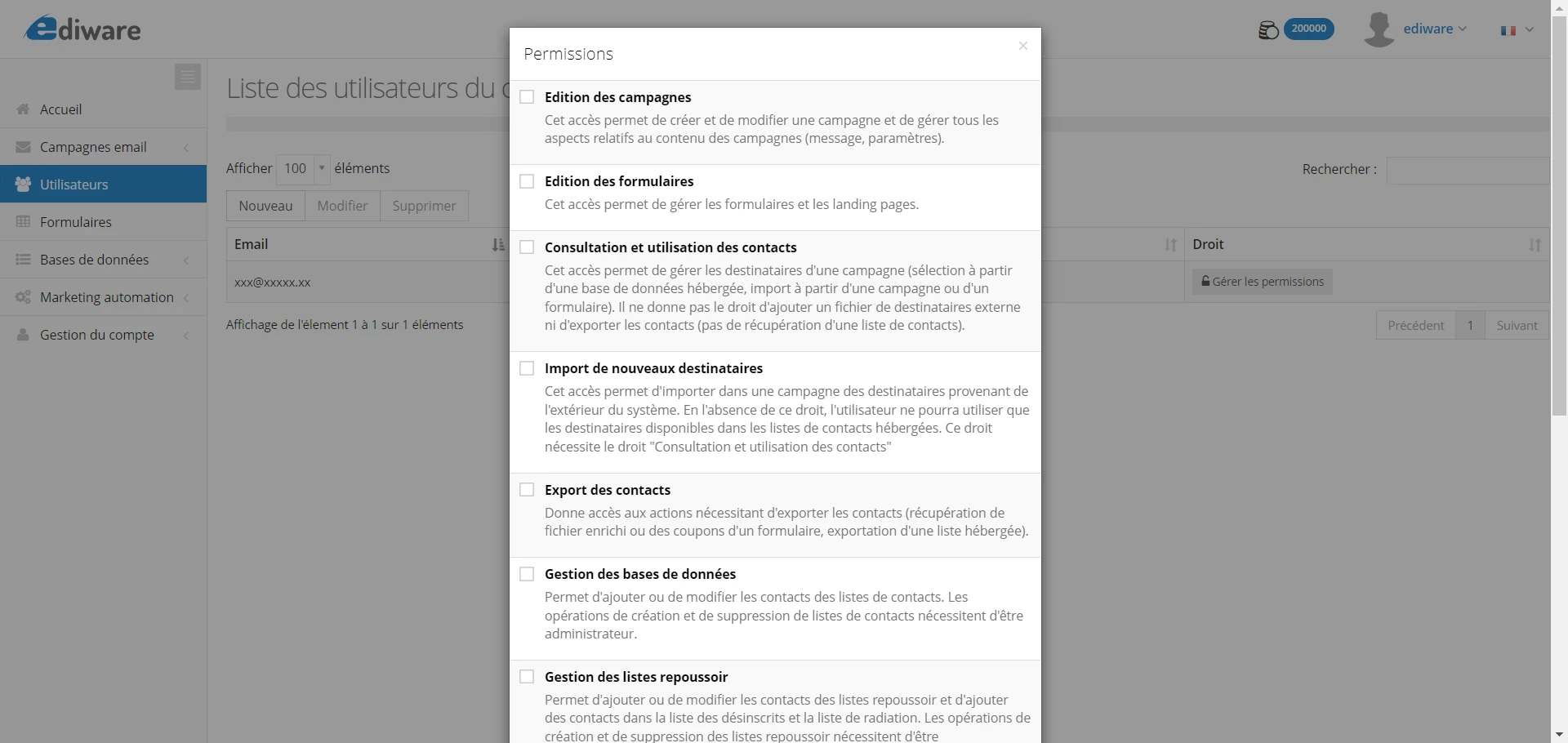
For other users, you can define specific permissions according to the needs of their role. To do so, click on Manage permissions. For example, you can grant them rights to:
- Edit campaigns
- Edit landing pages
- Access contacts
- Manage templates
- Send campaigns
These permissions allow fine-grained and secure management of each user’s actions. Of course, if a sub-account has access limitations on certain modules, those restrictions also apply to the users of that sub-account.
Multi-account access
A user is not limited to a single account or sub-account. Once logged in, they can access all accounts and sub-accounts where their email is declared as a user. The account-switching menu, located at the top right of the interface under the “Switch account” option, allows smooth navigation between different accounts.
