The sub-accounts module on Ediware
Whether you manage multiple teams or clients, sub-accounts give you the flexibility you need to address various requirements.
What is a sub-account?
A sub-account is a separate account, fully isolated from the main account. It has its own list of unsubscribers and detected hard bounces, ensuring independent and specific management for each sub-account.
Credit allocation
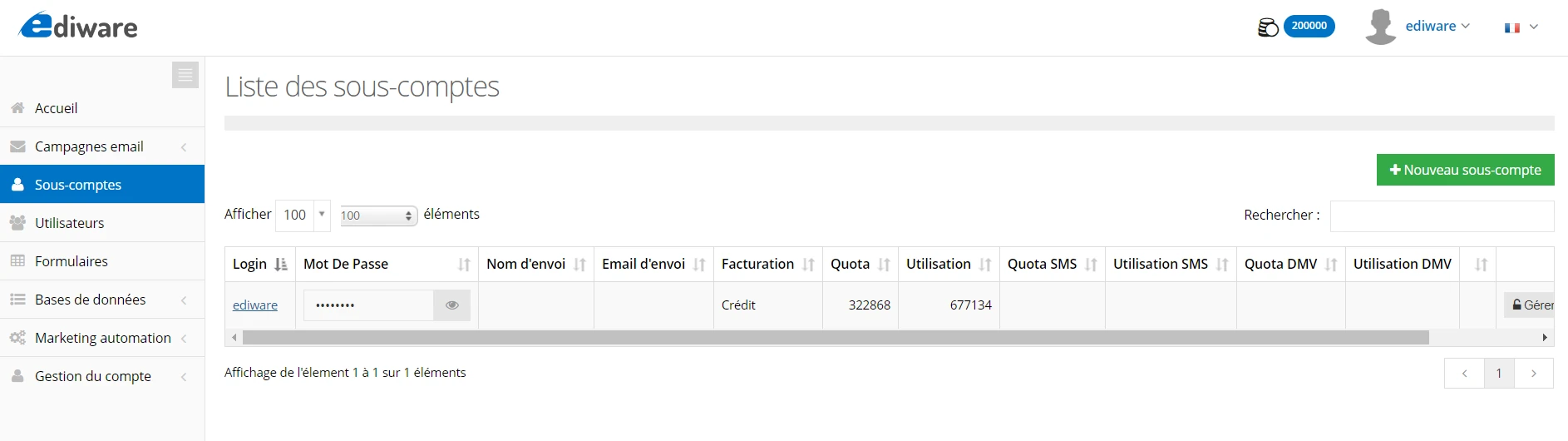
Each sub-account has a credit allocation, which is a portion of the global credit of the main account. This allocation is not an independent credit, but rather a part of the total credit reserved for the sub-account. Sends made by the sub-account will be deducted from the global credit of the main account. This allocation can be modified from the main account or via the API, offering flexible resource management.
Sub-account customization
Logo and branding
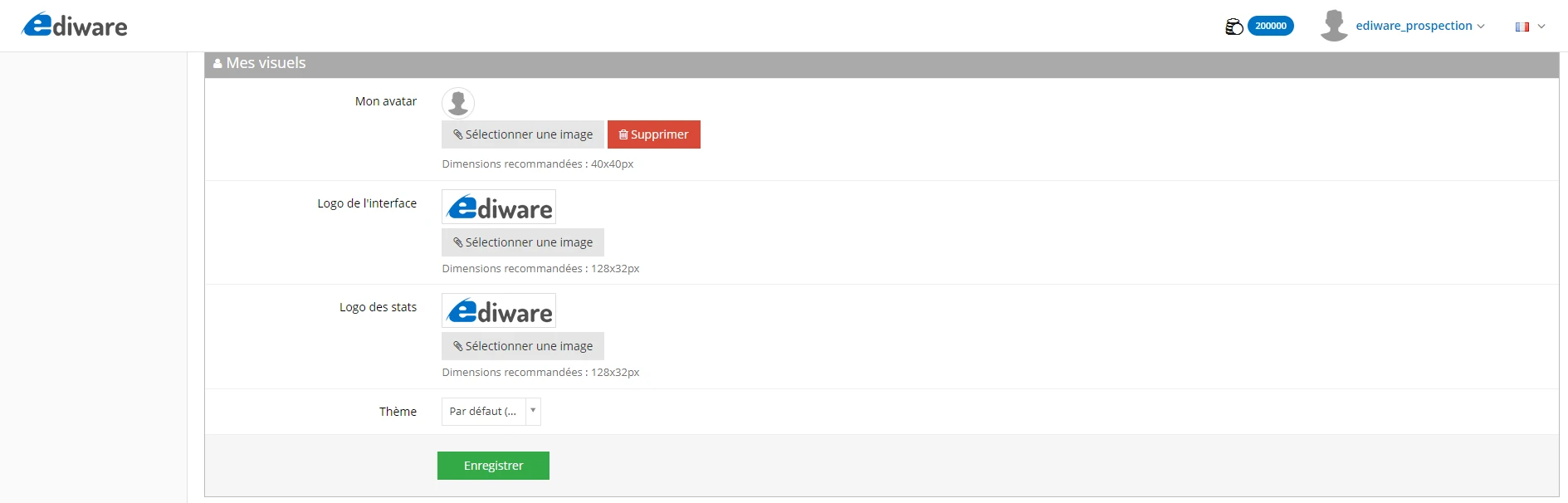
You can replace the Ediware logo displayed in the sub-account user space by going to the “Settings” section of the main account. Any reference to Ediware, including the technical support contact details and documentation, is hidden in a sub-account, allowing for personalized branding.
Module management
Access configuration
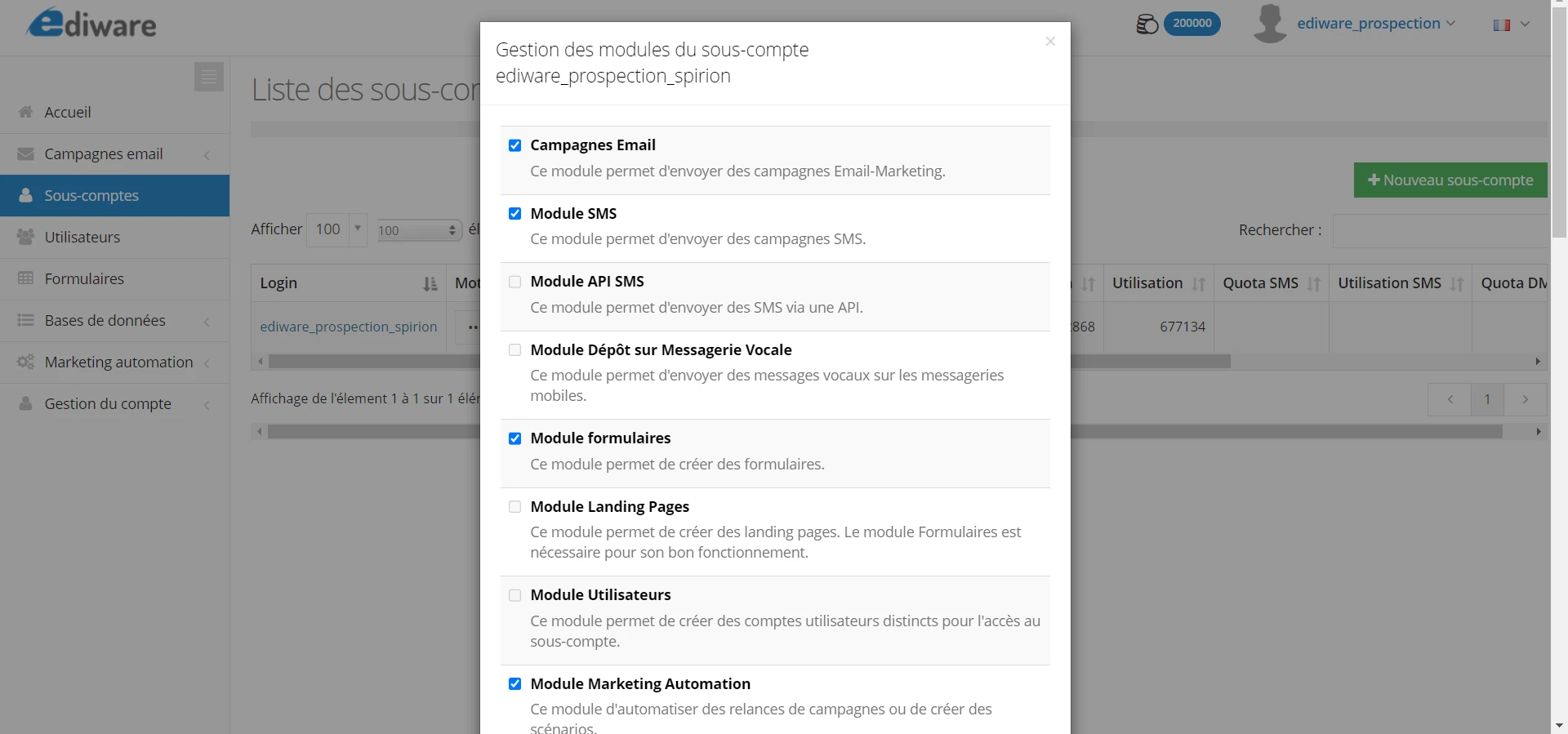
The “Manage modules” button on a sub-account lets you define which modules are accessible: Emailing, SMS, API, Landing pages, Contact lists, Automation, Segmentation, etc. You can therefore precisely adjust the features available for each sub-account.
Default settings
In the Account management > Settings > Default modules section, you can set the default rights for new sub-accounts. These default settings can be modified for each sub-account individually, ensuring granular access management.
Sharing resources
Contact lists
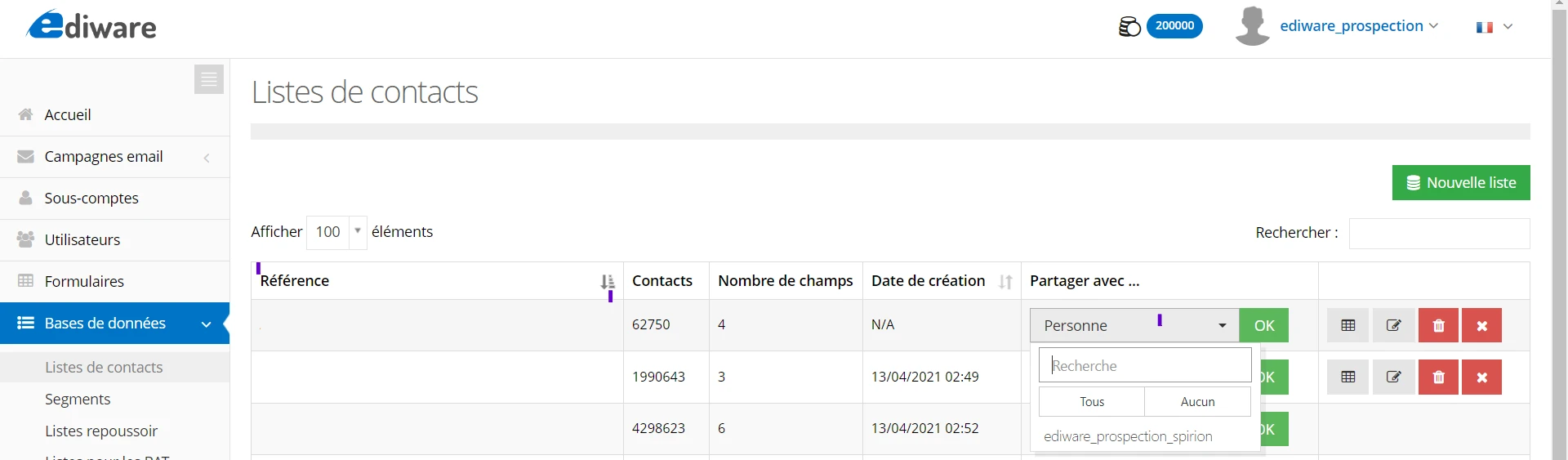
From the main account, you can share contact lists with one or several sub-accounts. The sub-accounts can import these lists into their campaigns without modifying them. An encryption option is available, allowing sub-accounts to use the contacts without being able to retrieve the emails in clear text.
Templates
In the same way, you can share templates with sub-accounts. These templates can be used in the sub-accounts’ campaigns, but cannot be modified. This ensures consistency and constant quality across campaigns.